Master VMware vSphere 8 Certification Real Questions
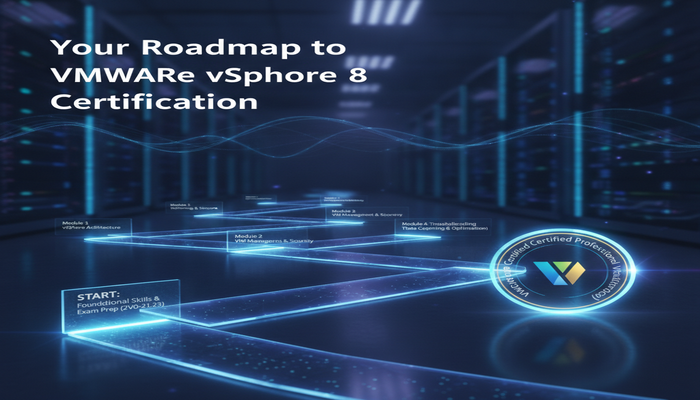
In the rapidly evolving world of IT, staying ahead means constantly updating your skill set and validating your expertise. For professionals working with virtualized environments, the VMware vSphere 8 certification, specifically the VCP-DCV 2024, stands as a beacon of proficiency. This certification demonstrates a deep understanding of VMware’s flagship virtualization platform, equipping you with the knowledge to manage complex data center infrastructures effectively.
This comprehensive guide is designed to help you navigate the journey towards mastering the VMware vSphere 8 certification, focusing on the real questions and practical knowledge required for success. Whether you are a seasoned administrator looking to upgrade your skills or a newcomer aiming to establish a strong foundation in data center virtualization, this article provides the insights and strategies you need to excel.
We will delve into the exam specifics, explore the detailed syllabus topics, recommend essential training resources, and outline effective preparation strategies. By the end of this article, you will have a clear roadmap to not only pass the 2V0-21.23 exam but also to truly master VMware vSphere 8 and significantly boost your career prospects.
Understanding the VMware vSphere 8 Certification Landscape
The VMware Certified Professional - Data Center Virtualization (VCP-DCV) is a foundational certification for anyone managing VMware vSphere environments. The latest iteration, VCP-DCV 2024, focuses on VMware vSphere 8.x, bringing with it advanced features and enhanced capabilities for modern data centers. Earning this certification signifies your ability to install, configure, manage, and troubleshoot vSphere 8 environments.
Why is the VMware vSphere 8 certification so critical now? VMware vSphere 8.x introduces significant advancements in security, performance, and operational efficiency, especially concerning hybrid cloud deployments and containerization with Tanzu. As businesses increasingly rely on virtualized infrastructures to power their applications and services, certified professionals who can expertly manage these systems are in high demand. This certification validates your readiness to tackle the challenges of modern data center management.
Beyond technical validation, achieving the VCP-DCV certification offers numerous professional benefits. It enhances your credibility in the job market, opens doors to new career opportunities, and often leads to higher earning potential. It’s a clear indicator to employers that you possess the hands-on skills and theoretical knowledge required to contribute effectively to their IT operations.
The Significance of VCP-DCV 2024
The Data Center Virtualization 2024 certification specifically highlights your expertise with the latest vSphere 8.x product version. This ensures that your skills are current and relevant to the technologies being deployed today. The exam, 2V0-21.23, assesses your capability across a wide range of tasks, from core installation and configuration to advanced troubleshooting and operational management.
This certification is not just about passing an exam; it’s about truly understanding the intricate details of vSphere 8. From its architectural components to its integration with other VMware products and solutions, the VCP-DCV 2024 covers it all. Professionals holding this certification are typically involved in designing, deploying, and managing complex virtualized infrastructures, ensuring high availability, performance, and security.
Deep Dive into the 2V0-21.23 Exam: VMware vSphere 8.x Professional
The VMware vSphere 8.x Professional exam, also known as 2V0-21.23, is the gateway to obtaining your VMware Certified Professional - Data Center Virtualization (VCP-DCV) certification. This exam evaluates your proficiency in deploying, administering, and troubleshooting VMware vSphere 8 infrastructures. It's a rigorous test designed to ensure candidates possess a comprehensive understanding of the platform.
Here are the key details for the 2V0-21.23 examination:
- Exam Name: VMware vSphere 8.x Professional (VCP-DCV)
- Exam Code: 2V0-21.23
- Exam Price: $250 USD
- Duration: 135 minutes
- Number of Questions: 70
- Passing Score: 300 / 500
The exam format consists of multiple-choice questions, challenging candidates to apply their knowledge in various scenarios. Success requires not only memorizing facts but also understanding how different vSphere components interact and how to best address real-world challenges. For more practice and to gauge your readiness, you can find valuable resources and VMware 2V0-21.23 certification exam sample questions.
Who should consider taking this exam? This certification is ideal for system administrators, system engineers, consultants, and IT professionals who are responsible for implementing, managing, and troubleshooting vSphere 8 environments. It’s particularly beneficial for those looking to validate their skills with the latest version of VMware’s data center virtualization platform.
While there are no strict prerequisites to take the exam, VMware strongly recommends completing official training courses to ensure you have the necessary foundational knowledge and hands-on experience. The VCP-DCV 2024 certification is a VMware Legacy certification, which means it builds upon a long-standing tradition of excellence in data center virtualization. Achieving it signifies a deep level of expertise with VMware vSphere 8.x.
Understanding the Exam Objectives and Syllabus
The 2V0-21.23 exam covers seven main sections, each focusing on critical aspects of vSphere 8. A thorough understanding of each topic area is essential for passing the exam. Let’s break down these syllabus topics:
Architecture and Technologies
This section delves into the fundamental building blocks of a vSphere environment. You need to grasp the core concepts, components, and their interactions. This includes understanding the roles of ESXi hosts, vCenter Server, vSphere Distributed Switch, vSAN, and the overall vSphere architecture. Knowledge of storage and networking concepts within vSphere, such as VMFS datastores, NFS, iSCSI, and virtual network adapters, is crucial. Furthermore, an understanding of vSphere features like High Availability (HA), Distributed Resource Scheduler (DRS), and Fault Tolerance (FT) is tested here. You should also be familiar with the various editions of vSphere and their capabilities.
VMware Products and Solutions
Beyond vSphere itself, this section explores how vSphere integrates with other VMware products and solutions to create a more robust and comprehensive data center. This can include an overview of VMware Tanzu for containerization, VMware Aria Operations for automation and management, and how vSphere fits into a hybrid cloud strategy with VMware Cloud Foundation. Understanding the benefits and use cases of these integrations, along with licensing models, is key. Awareness of specific product versions like VMware vSphere 8.x is also important, ensuring your knowledge is current with the latest releases and features.
Planning and Designing
Effective planning and design are paramount for a successful vSphere deployment. This section tests your ability to make informed decisions regarding the infrastructure layout. Topics include capacity planning for CPU, memory, storage, and network resources; designing networking configurations, including standard and distributed switches; planning storage architectures (e.g., shared storage, local storage, vSAN); and considering security best practices from the design phase. You should also be able to plan for upgrades and migrations, ensuring minimal downtime and seamless transitions. This involves understanding host and cluster configurations, resource pools, and the impact of design choices on performance and availability.
Installing, Configuring, and Setup
This is where hands-on implementation knowledge is tested. You must be proficient in installing and configuring ESXi hosts, deploying and configuring vCenter Server Appliance (VCSA), and managing vCenter Server settings. This includes configuring host networking, such as virtual switches, port groups, and VLANs, as well as setting up storage, including datastores, Fibre Channel, iSCSI, and NFS. You should also know how to create and manage virtual machines, including customizing VM hardware, installing VMware Tools, and configuring vApps. Understanding how to integrate identity sources and set up role-based access control (RBAC) is also critical in this section.
Performance-tuning, Optimization, and Upgrades
Maintaining optimal performance and ensuring the smooth operation of a vSphere environment are continuous tasks. This section focuses on identifying and resolving performance bottlenecks. This involves using vSphere monitoring tools like vCenter Server performance charts, ESXTOP, and vRealize Operations Manager (now VMware Aria Operations). You need to be able to analyze performance metrics for CPU, memory, storage, and network, and implement optimization techniques. Furthermore, understanding the process of upgrading ESXi hosts and vCenter Server, applying patches, and managing host profiles for consistent configurations are vital skills covered here. This also includes configuring advanced CPU and memory settings for virtual machines and hosts.
Troubleshooting and Repairing
Even with careful planning and configuration, issues can arise. This section tests your ability to diagnose and resolve common problems within a vSphere environment. This includes troubleshooting ESXi host issues, vCenter Server connectivity problems, storage access issues, and network configuration errors. You should be adept at using log files, command-line interfaces (CLIs), and other diagnostic tools to pinpoint the root cause of problems. Understanding how to recover from failures, perform backups and restores, and implement disaster recovery strategies are also key components of this section. Being able to isolate problems within different layers of the vSphere stack is essential for effective troubleshooting.
Administrative and Operational Tasks
This section covers the day-to-day management and operational duties of a vSphere administrator. This includes managing users and permissions through vCenter Server’s role-based access control (RBAC), monitoring vSphere health and alerts, and configuring alarms. You should be familiar with creating and managing virtual machine templates, clones, and snapshots, as well as migrating virtual machines using vMotion and Storage vMotion. Implementing backup and recovery solutions for vSphere components, such as vCenter Server and virtual machines, is also covered. Automation capabilities using PowerCLI or vSphere API are often touched upon, highlighting efficient management practices.
Essential Training and Study Resources for 2V0-21.23
To successfully pass the VMware vSphere 8 certification exam and truly master the underlying technologies, a structured approach to learning is essential. VMware provides official training courses that are highly recommended and often a prerequisite for obtaining the full VCP-DCV certification. These courses provide hands-on experience and in-depth knowledge that classroom learning alone cannot fully replicate.
The primary recommended training courses for VMware vSphere 8.x are:
These courses provide a comprehensive understanding of vSphere 8.x, covering installation, configuration, management, and operational tasks, directly aligning with the exam’s syllabus. Attending these courses, either virtually or in-person, provides invaluable instructor-led insights and practical labs that solidify your understanding.
Beyond formal training, several other resources are critical for your preparation:
- Official Documentation: The VMware vSphere 8.x Documentation is an authoritative source. It’s incredibly detailed and provides the most accurate information on features, configurations, and best practices. Familiarizing yourself with how to navigate and find information within these docs is a skill tested implicitly in the exam.
- Hands-on Labs: Practical experience is non-negotiable. Set up a home lab using VMware Workstation or ESXi Free, or utilize VMware’s Hands-on Labs (HOL) platform. The more you work with vSphere 8, the better you’ll understand its intricacies and command-line interfaces.
- Study Guides and Practice Tests: While not a substitute for official training, study guides and practice tests can help reinforce your knowledge and identify areas for improvement. Always use reputable sources for practice questions.
- Community Forums and Blogs: Engaging with the VMware community through forums, blogs, and social media can provide valuable tips, insights, and solutions to common problems you might encounter during your studies.
Once you feel prepared, you can schedule your exam through Pearson VUE. Remember, a combination of structured learning, extensive hands-on practice, and consistent review will significantly increase your chances of success in the 2V0-21.23 exam.
The Career Advantage of VCP-DCV 2024 Certification
Obtaining your VMware Certified Professional - Data Center Virtualization (VCP-DCV) certification based on vSphere 8.x is more than just an academic achievement; it’s a strategic career move. In today’s IT landscape, where virtualization underpins the vast majority of enterprise infrastructures, validated expertise in VMware vSphere is exceptionally valuable. This certification signals to employers that you possess the advanced skills necessary to manage complex, mission-critical environments.
The demand for skilled virtualization professionals continues to grow. According to the U.S. Bureau of Labor Statistics, occupations in computer and information technology are projected to grow much faster than the average for all occupations. Professionals with specialized certifications like the VCP-DCV are particularly well-positioned to capitalize on this growth. You can explore more about career outlooks in the tech industry at the Bureau of Labor Statistics website.
A VCP-DCV certification can lead to various roles, including Virtualization Administrator, Systems Engineer, Cloud Administrator, or IT Consultant. These positions often come with competitive salaries and opportunities for career advancement. Employers seek certified professionals because they reduce hiring risks, ensuring candidates have a proven baseline of knowledge and practical skills. This translates to increased efficiency, reduced operational costs, and greater reliability for their virtualized infrastructure.
Furthermore, the VCP-DCV 2024 demonstrates your commitment to continuous learning and staying current with the latest technologies. As VMware vSphere 8.x continues to evolve with new features and integrations, your certification proves your ability to adapt and master these advancements. This makes you a more versatile and indispensable asset to any organization.
Enhancing Your Professional Profile
Beyond specific job titles, the VCP-DCV certification significantly enhances your overall professional profile. It serves as a recognized badge of honor within the IT community, distinguishing you from non-certified peers. Networking opportunities often arise from sharing this common credential, leading to collaborations and mentorships. It builds confidence in your abilities, empowering you to take on more challenging projects and responsibilities.
The skills gained through preparing for this certification are directly applicable to real-world scenarios. You’ll learn to troubleshoot complex issues, optimize performance for critical applications, design robust and scalable infrastructures, and implement advanced security measures. These are practical, hands-on skills that provide immediate value to any organization leveraging VMware technologies.
Effective Preparation Strategies
Passing the 2V0-21.23 exam requires more than just reading through documentation; it demands a strategic and consistent study plan. Here are some effective preparation strategies to help you master the VMware vSphere 8 certification:
- Start with Official Training: As mentioned, VMware’s official training courses (VMware vSphere: Install, Configure, Manage [V8] and VMware vSphere: Operate, Scale and Secure [V8]) are highly recommended. These provide the foundational knowledge and hands-on experience crucial for success.
- Hands-on Practice is Key: Theory alone won’t suffice. Set up a lab environment. This could be a physical server running ESXi, nested ESXi within VMware Workstation/Fusion, or leveraging VMware’s Hands-on Labs. Practice every concept – installing ESXi, deploying vCenter, configuring networking and storage, creating VMs, using DRS and HA, and troubleshooting common issues. Repetition builds muscle memory and deepens understanding.
- Master the Exam Blueprint: Download the official exam guide from Broadcom/VMware. Go through each objective in detail. Understand what specific skills and knowledge areas are being tested. This blueprint should be your primary guide throughout your study process.
- Utilize Documentation: The official VMware documentation is your best friend. For every objective in the blueprint, read the relevant sections in the vSphere documentation. Pay attention to configuration limits, best practices, and troubleshooting steps outlined by VMware.
- Create a Study Schedule: Dedicate specific times each week to study and practice. Break down the syllabus into manageable chunks and tackle them systematically. Consistency is more important than cramming.
- Take Notes and Summarize: As you study, take detailed notes. Rephrasing concepts in your own words helps solidify your understanding. Summarize complex topics to ensure you’ve grasped the core ideas.
- Join Study Groups or Forums: Discussing concepts with peers can provide new perspectives and clarify difficult topics. Online forums and study groups offer a platform to ask questions, share insights, and learn from others’ experiences.
- Practice with Sample Questions: While not a substitute for hands-on experience, practice questions can help you become familiar with the exam format and types of questions asked. Use them to identify areas where your knowledge is weak and needs further attention.
- Simulate Troubleshooting Scenarios: Deliberately break things in your lab and then fix them. This is an excellent way to practice troubleshooting and repair skills, which are heavily weighted in the exam.
- Understand Interdependencies: vSphere components are highly interconnected. Don’t just learn about individual features; understand how they interact with each other. For example, how does network configuration impact vMotion, or how does storage affect VM performance?
By diligently following these strategies, you can build a strong foundation of knowledge and practical skills, greatly enhancing your chances of achieving the VMware vSphere 8 certification. If you're looking for guidance on other certifications, a comprehensive resource like this ultimate 2V0-17.25 study guide can offer valuable insights into preparation for different VMware exams.
Frequently Asked Questions About VMware vSphere 8 Certification
1. What is the VCP-DCV 2024 certification?
The VCP-DCV 2024 (VMware Certified Professional - Data Center Virtualization 2024) is a professional-level certification that validates your skills in installing, configuring, managing, and troubleshooting VMware vSphere 8 environments. It’s specifically tied to the VMware vSphere 8.x Professional (2V0-21.23) exam.
2. Is an official training course required for the 2V0-21.23 exam?
While you can technically take the 2V0-21.23 exam without prior training, to achieve the full VCP-DCV certification, VMware generally requires candidates to complete one of their official qualifying training courses, such as "VMware vSphere: Install, Configure, Manage [V8]" or "VMware vSphere: Operate, Scale and Secure [V8]".
3. How long is the VCP-DCV 2024 certification valid?
VMware certifications typically do not "expire" in the traditional sense. However, they are tied to specific product versions. To remain current and demonstrate expertise on the latest technologies, VMware encourages professionals to re-certify on newer versions when they become available. This ensures your skills stay relevant.
4. What kind of salary increase can I expect with VCP-DCV certification?
The salary increase varies significantly based on location, experience, job role, and industry. However, VCP-DCV certified professionals often command higher salaries than their non-certified counterparts. It enhances your marketability and positions you for roles with greater responsibility and compensation.
5. What are the best ways to get hands-on experience with vSphere 8?
The best ways include setting up a home lab (using nested ESXi, VMware Workstation, or a physical server), utilizing VMware’s free Hands-on Labs (HOL) platform, or gaining experience in a professional IT environment that uses vSphere 8. Regular practice with installations, configurations, and troubleshooting scenarios is crucial.
Conclusion
The journey to mastering the VMware vSphere 8 certification, culminating in the VCP-DCV 2024 credential, is a challenging yet highly rewarding endeavor. This certification not only validates your expertise in managing the cutting-edge VMware vSphere 8.x platform but also positions you as a valuable asset in any modern data center environment. By understanding the exam structure, diligently studying the syllabus topics, leveraging official training, and committing to extensive hands-on practice, you can confidently approach the 2V0-21.23 exam.
Remember that the skills acquired during this process are directly transferable to real-world scenarios, making you a more effective and efficient virtualization professional. Embrace the learning curve, utilize all available resources, and prepare thoroughly. Your dedication will undoubtedly lead to success in mastering VMware vSphere 8 and advancing your career in data center virtualization. For further resources and preparation tips on other VMware certifications, you might find this VCP-VCF Admin practice test guide helpful.
Start your preparation today and unlock a world of opportunities in cloud and virtualization. The demand for skilled professionals with VMware vSphere 8 certification is growing, and with the right preparation, you can be at the forefront of this exciting field.

%20Certification%20Exam.png)

Comments
Post a Comment